Content365BlogPricing and cost
Design posts yourself or get a year of posts? A time test for coaching centres and busy owners
Design posts yourself or get a year of posts? Count the hidden jobs in one post, run a one-week time test, and find the mix that suits a busy coaching centre.
The last batch of the evening has just left. The whiteboard still has half a quadratic equation on it, a parent wants a call about fees, and tomorrow's test papers need checking. Somewhere on your list is "make an Instagram post about the new weekend batch". You know how to do it. You have done it before. It just never seems to happen on the day it should.
That is the real choice behind a question many coaching centres and small businesses ask: should you design posts yourself or get a year of posts made in one go? It is not really about which app is better. We have compared design tools and finished posts separately. This guide is about the method: what making one post at a time actually asks of you, how to measure it honestly for a week, and when each approach, or a mix of both, makes sense.
The seven jobs hidden inside one post
A single post looks like one task. It is really seven, and each one needs a few minutes of a clear head.
| Job | When it usually happens at a coaching centre | What goes wrong in a busy week |
|---|---|---|
| Deciding what to post | Between batches, or late at night | Nothing feels right, so nothing gets posted |
| Getting a picture | Phone photo of the classroom, or a template search | Blurry photos, or a template many others already use |
| Writing the words on the picture | While designing | Spelling slips in your own centre's name or number |
| Placing your logo and contact details | While designing | The logo moves, shrinks or goes missing |
| Writing captions for each platform | Just before posting | One rushed caption pasted everywhere |
| A Hindi version for parents | Often skipped altogether | Parents who read Hindi first skip past it |
| Remembering the date | The morning of, or after | The festival or the exam-day wish arrives a day late |
None of these jobs is hard on its own. The trouble is that a daily post asks for all seven, every day, including the weeks you have no spare minutes at all. For a coaching centre, those weeks are predictable: admission season, when parents are comparing institutes, and exam season, when every hour goes to students. They are exactly the weeks your page matters most.
If your page has gone quiet before, our post on why businesses stop posting after three weeks explains the pattern. It is rarely a lack of effort. It is seven jobs competing with your real work.
A one-week test before you decide
Do not decide on a hunch. Measure it. For the next seven days, design your own posts and keep an honest log.
- Note the minutes for each job in the table above, every time you make a post. Include the time spent looking for an idea, not only the time in the design app.
- Note the time of day you made it. A post made at 11 pm costs you more than its minutes; it costs you sleep before an early batch.
- Note which days you skipped, and why: a parent meeting, a mock test, a teacher on leave.
- At the end of the week, add up the minutes and multiply by fifty-two. That is your yearly design time if nothing changes.
- Put a value on it. Think of what an hour of your time is worth: an extra doubt-clearing session, a call with a parent, or simply rest.
Then compare. If designing every post yourself takes a few relaxed minutes and you enjoy it, carry on; you have found a habit that works. If the log shows late nights and skipped days, the real cost of doing it yourself is probably higher than the price of any design app. Our guide to what a year of social media should cost shows how to put that time into rupees per day.
When designing your own posts is the right call
Doing it yourself is genuinely the better choice in some situations, and it is worth being honest about them.
- Someone on your team enjoys it and has the time. A teacher with a good eye and a free hour every afternoon is an asset. Use them.
- Your best material is real moments. The first day of a new batch, a science demonstration, an annual day. A real photo, shared with the parents' permission, says something no painted scene can.
- You post only around big moments. If your page is mainly for admission announcements a few times a year, a daily habit may not be your goal.
- You need things that are not social posts. Notices for the classroom wall, printed pamphlets and certificates need a design tool anyway.
When having the whole year ready is the right call
Getting a full year of posts made at once makes more sense when:
- Your busiest months are your most visible months. Admissions and exams leave no time to design, and that is when parents look at your page.
- You keep meaning to post daily and do not. The log from your one-week test will tell you this plainly.
- Parents read Hindi first. Writing a Hindi caption every day is often the first job to be dropped.
- You run more than one centre or brand. Every extra brand multiplies the seven jobs.
- Festivals keep catching you out. A ready year has them in place before you think of them.

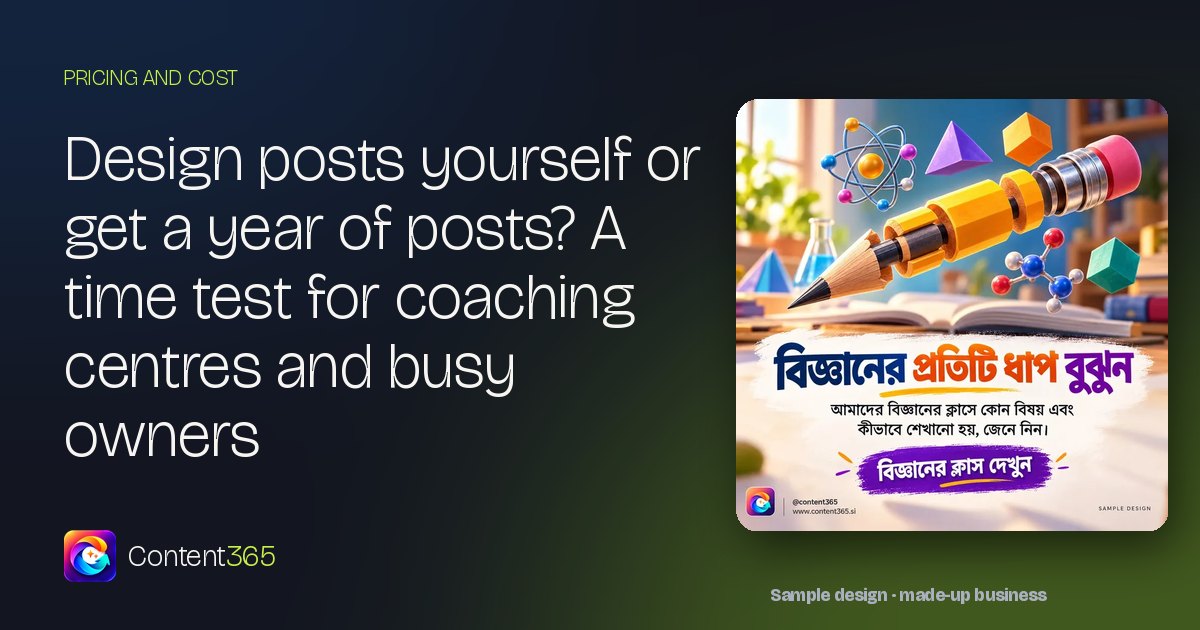
That sample design, for a made-up coaching institute, comes from our sample library and is written in Bengali. In a ready year, designed posts like this sit beside the everyday ones that keep a page alive in the weeks you have no time to design.
The middle path: a ready year plus a few of your own
Often the sensible answer is both. Let the ready year give you a post for every day, and add your own only when something real happens at the centre. Here are the moments worth your own camera, and what to keep in mind for each.
| Real moment at your centre | Your own post | Keep in mind |
|---|---|---|
| A new batch starts | A photo of the first class with a welcome line | Ask parents before showing students' faces |
| A new timing or course | A short notice with the details | Double-check dates and fees before posting |
| A doubt-clearing session | A photo of the board or the room | Keep faces out unless you have permission |
| A weekend test | A good-luck message to the batch | Never share marks or rankings without consent |
| Annual day or a guest lecture | Two or three photos from the event | Check the guest is happy to be shown |
| A holiday or closure | A notice so parents are not caught out | Post it a day or two ahead |
You post the ready picture every day, so the page never goes quiet. Your own posts become a bonus rather than a burden, and you make them only when there is a moment worth sharing. For more coaching post ideas through the academic year, see our coaching institute social media marketing guide, and if you teach from home or run a small tuition class, our tuition classes marketing post fits your scale.

What a ready year looks like with Content365
Content365 handles the seven jobs for the whole year at once. You describe your centre a single time, with its name, the kind of teaching you do, your logo and a website if there is one, and the studio produces 365 posts for one brand for ₹3,999 including GST for the whole year. That is about ₹11 a day, paid once rather than monthly, and a second brand costs the same ₹3,999 including GST.
Each day, you get a 1080 x 1350 picture ready for Instagram, Facebook, LinkedIn, X and WhatsApp, with captions for Instagram, Facebook, LinkedIn and X, plus Hindi. The image model paints only the scene; the studio then places your real logo, centre name, phone, website and call to action on top from the exact text you gave, so the logo is never redrawn. Indian festivals and the financial year are placed on their real dates. A vision model inspects each picture for stray lettering and faults, and each day gets up to three tries. Every post waits in your private gallery until you check it and post it; Content365 never posts on your pages. The year also downloads as one folder with all the pictures, captions.csv, prompts.csv, calendar.csv and a gallery that opens on any phone.
"The market made social media look like a big job that you either do every night or pay a lot for," says Divyaprakash Jha, Founder & CEO of Content365. "We are AI techies, and we think a busy owner should simply have the whole year ready."
"We want every independent business in this country to get the quality that big brands get, for ₹3,999 including GST for the whole year," he adds.
Frequently asked questions
Should I design my own posts or get a year of posts made?
Run the one-week test first. If designing is quick and you enjoy it, carry on. If your log shows late nights and skipped days, a ready year will usually suit you better, and you can still add your own posts.
Can I add my own posts alongside a ready year?
Yes. You can post the ready picture every day and add your own photos for real moments, such as a new batch starting. The two fit together easily.
Will a ready year look the same every day?
No. Content365 draws on 1,825 concepts in 21 families, and near-duplicate pictures are rejected, so the year is not one template repeated.
How much time does a ready year take each day?
A quick review in your gallery and the time it takes to post. There is no idea to find and nothing to design.
Can I try it before deciding?
Yes. Sign in with Google and the free plan gives your centre 2 posts every 48 hours, with nothing to pay. Start free here.
Keep the jobs that only you can do
Teaching, guiding parents and running your centre are jobs only you can do. Making a post every day is not one of them. Run your one-week test, then see the yearly plan, or check what each extra brand costs if you run more than one centre.