Content365BlogSocial media strategy
The 365-day social media content calendar: how to plan a whole year of posts
Build a social media content calendar for the whole year: a month-by-month plan for India, a simple content planning template, and how to fill 365 days.

Every January the same thing happens. You open a fresh notebook, write "Instagram plan" at the top, and fill in the first two weeks with real enthusiasm. By the third week the notebook is under the billing counter. By March the page has gone quiet, and when Holi arrives you are scrambling at 11 at night to find a greeting image that does not look like everyone else's.
The problem is not discipline. It is that a social media content calendar built a week at a time keeps asking you to plan again, and planning is the step that busy owners drop first. A calendar built once for the whole year asks you to plan only once. This guide shows you how to build that year: the skeleton, the month-by-month plan for Indian businesses, a template you can copy, and the shortcuts that keep 365 days from feeling endless.
Why a yearly content calendar beats weekly planning
A weekly plan is better than none, but every Sunday you start from a blank page, and each week's plan knows nothing about next month. That is why festivals sneak up on you.
A yearly content calendar fixes three things at once:
- You see the big days early. Diwali, the start of the financial year, the wedding season and school reopening are on the page in January, so the post is ready before the day.
- You can balance the mix. Looking at a whole month, you can see if you have posted five offers in a row and no useful tips, and fix it.
- You plan in one mood. Planning a year in one or two long sittings is far quicker than fifty-two short ones, because you are not re-learning your own brand every week.
The skeleton of a social media content calendar
Before you think about any single post, lay down three layers. Every day of the year sits in all three.
- Fixed dates. National days, the financial year, and festivals that fall on the same date every year, such as Republic Day on 26 January, Independence Day on 15 August, Gandhi Jayanti on 2 October and Christmas on 25 December.
- Moving festivals and seasons. Holi, Navratri, Diwali, Eid, Raksha Bandhan and others follow the lunar calendar and shift each year. Look up the current year's dates from a reliable panchang or government holiday list and write them in. Add your local seasons too: monsoon, summer holidays, exam months, harvest time in your region.
- The weekly rhythm. Everything else is filled by a repeating pattern, such as product on Monday, tip on Wednesday, offer on Thursday and people on Friday.
Layer one and two are perhaps fifty to seventy days of the year. Layer three fills the rest. Once you see it that way, 365 days stops being frightening: most of the year is a rhythm, and only some days need special thought.
A month-by-month annual social media plan for India
This table gives every month a theme and a few anchor posts. It is written for a neighbourhood grocery or kirana store, but you can swap the examples for your own business. Where a festival moves each year, the table names the months it usually falls in rather than a date.
| Month | Theme | Anchor posts |
|---|---|---|
| January | Fresh start | New Year greeting, Makar Sankranti and Lohri in mid-January, Republic Day on 26 January, winter staples |
| February | Health and home | Healthy breakfast ideas, Valentine's Day for gifting stores, Holi stock-up if it falls early |
| March | Colour and year-end | Holi in February or March, year-end stock clearance, summer drinks begin |
| April | New financial year | Financial year greeting on 1 April, Baisakhi and regional new years in mid-April, summer essentials |
| May | Summer and holidays | Cool drinks, pickling season, home delivery during the heat |
| June | Monsoon prep | Monsoon pantry list, World Environment Day on 5 June, MSME Day on 27 June |
| July | Rain and routine | Monsoon snacks, school reopening, rainy day home delivery |
| August | Family festivals | Independence Day on 15 August, Raksha Bandhan, usually in August, sweets and gifting packs |
| September | Festival build-up | Ganesh Chaturthi in August or September, Onam in the south, festive cleaning supplies |
| October | Navratri and Dussehra | Fasting foods for Navratri in September or October, Dussehra, Gandhi Jayanti on 2 October |
| November | Diwali season | Dhanteras and Diwali in October or November, dry fruit hampers, Bhai Dooj, Chhath where relevant |
| December | Wedding and year-end | Wedding season bulk orders, Christmas on 25 December, year-end thank you to customers |
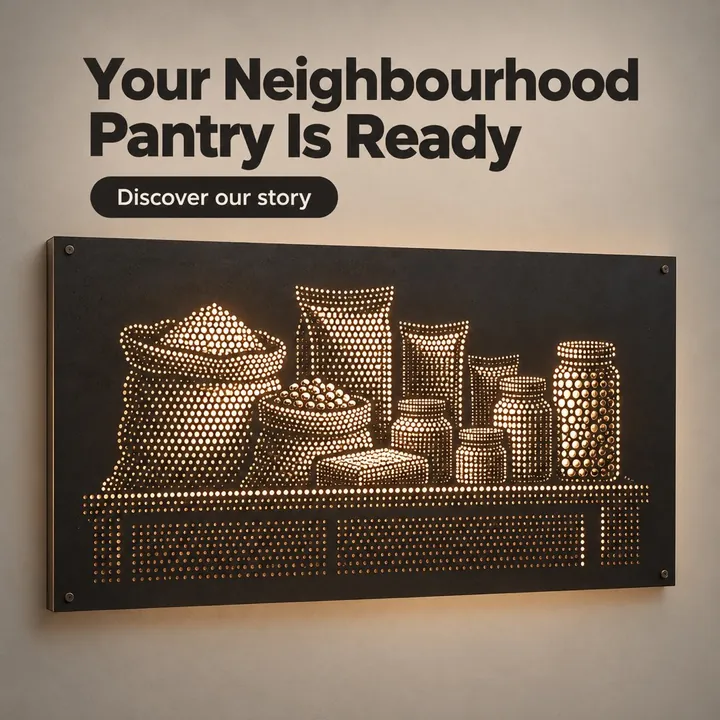
Here is what a January anchor post can look like, a simple introduction to the shop, in a sample design for a made-up grocery from our sample library:
And a product post for the staples counter, which can sit beside a respectful Republic Day greeting while still being about the store's own products:

For a deeper look at the festival layer alone, we have a separate guide to the Indian festival calendar for business posts.
A content planning template you can copy
You do not need special software. A spreadsheet with these columns is enough, one row per day:
| Date | Layer | Post type | Headline | Picture idea | Caption notes | Status |
|---|---|---|---|---|---|---|
| 1 Jan | Fixed | Greeting | New year, new convenience | Clean shelf with fresh stock | Thank customers for last year | Ready |
| 2 Jan | Rhythm | People | Meet our morning team | Staff opening the shutter | Name the team, timings | Draft |
| 3 Jan | Rhythm | Offer | Weekend atta combo | Atta bags and oil tin | Price, valid till Sunday | Idea |
A few rules make this content planning template work:
- Fill the fixed and festival rows first, for the whole year, in one sitting.
- Then fill the rhythm rows a month at a time, by copying the weekly pattern down the sheet.
- Write the headline before anything else. Six words or fewer. If you cannot write the headline, the post is not ready.
- Keep a status column with Idea, Draft, Ready and Posted. At a glance you see how many days ahead you are.
The 21 post types in our ideas guide are a good list to pick from when you fill the "Post type" column.
How to fill 365 days without repeating yourself
The hardest part of a yearly calendar is not the festivals. It is the ordinary Tuesday in July. Here is how to keep those days varied:
- Rotate angles, not just products. The same basmati rice can be a quality post, a recipe post, a price post, a "how we choose our supplier" post and a family dinner post. Five posts, one product.
- Use your customers' questions. Every question at the counter is a post: "Do you deliver after 8?", "Do you keep jain items?", "Can I order on WhatsApp?"
- Mark local moments. The colony's Ganpati pandal, the school's annual day, the first rain. These make your page feel local, not generic.
- Plan one series per quarter. For example, "Pantry basics" every Wednesday from April to June. A series makes planning thirteen posts a single decision.
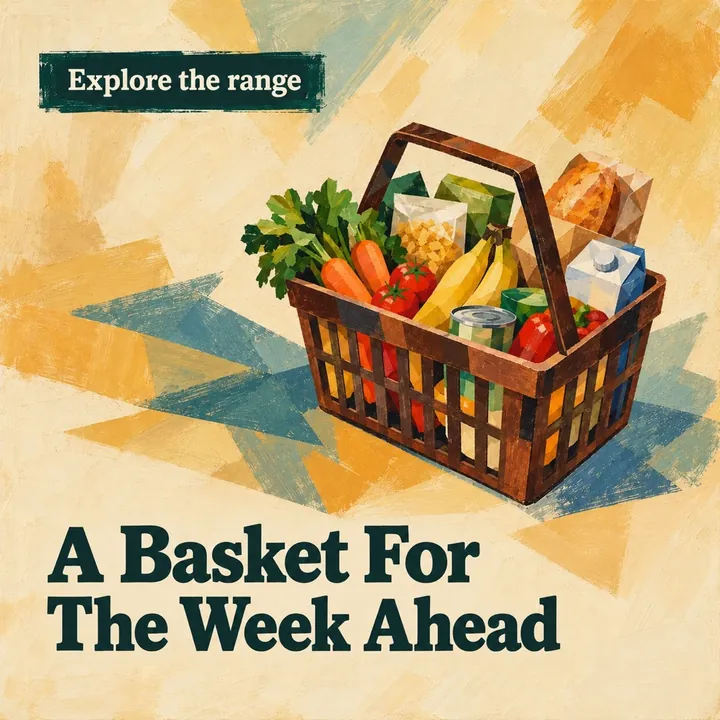
Here is a simple product post that would fit an ordinary weekday, such as MSME Day in the sample calendar:
Common mistakes in a content calendar India businesses make
- Planning only festivals. If your page is all greetings, it says nothing about why someone should shop with you. Festivals should be a small share of the year, not most of it.
- Copying dates from last year. Lunar festivals move. Always check the current year's dates before you design.
- Planning without making. A calendar full of ideas is still not posts. The real gap for most owners is turning 365 rows into 365 finished images.
How Content365 builds the whole year for you
Everything here can be done by hand. But for most owners the last mistake is the one that bites: the calendar gets planned, and the posts never get made.
Content365 does both the planning and the making for one brand in one go. You give it your business name, logo, website and the details you want shown, and it produces 365 posts, one for every day of the year. Indian festivals and the financial year are planned into the calendar on the days they fall. The ordinary days are drawn from 365 angles across 5 lenses, which is 1,825 concepts grouped into 21 angle families and mixed across the year, so your July Tuesdays do not all look the same. Near-duplicate pictures are rejected.
Each day is a 1080 x 1350 image with a square-safe centre, ready for Instagram, Facebook, LinkedIn, X and WhatsApp, plus captions written for Instagram, Facebook, LinkedIn and X, and a Hindi caption. The image model paints a scene with no text in it, and the studio then places your real logo, business name, phone, website and call to action on top. Every picture is checked by a vision model for stray text and problems, with up to 3 tries per day; a day that never passes still arrives, with a visible warning.
You get one download folder with all the pictures, a captions.csv, a prompts.csv and a calendar.csv, plus a gallery that opens on any phone. That calendar.csv is your yearly content calendar, already filled. You review every day first, and you or your team post them. We do not post on your pages.
The full year for one brand costs ₹3,999 including GST, and each extra brand is the same ₹3,999 including GST. The free plan gives you 2 posts for your brand every 48 hours with no payment, so you can sign in with Google and start free.
Frequently asked questions
How far ahead should a small business plan its social media?
Plan the fixed dates and festivals for the whole year at once, and the weekly rhythm a month at a time. You see the big days early without detail you might change later.
What should a social media content calendar include?
At the least: the date, the post type, the headline, a picture idea and a status. Add caption notes if you write captions in advance. Keep it simple enough that updating it takes minutes, not hours.
How many festival posts should I plan in a year?
Pick the festivals your customers actually celebrate, plus national days. A local shop in Indore and one in Kochi will have quite different lists. Festivals should sit alongside product, tip and people posts, not replace them.
Is a yearly content calendar useful if my offers change often?
Yes. Plan the fixed and seasonal days, and leave a few open slots every month for new stock, price changes and local events. The calendar gives you structure without locking you in.
Does Content365 give me a calendar file I can use?
Yes. The download folder includes a calendar.csv along with the pictures and captions, so you can see the whole year in a spreadsheet. You review the posts and post them yourself.
Get your whole year planned and made
A calendar is only as good as the posts behind it. Build one with this guide, or let Content365 hand you all 365 days planned and finished for your brand. See what the yearly plan includes, browse real sample calendars by industry, and when you are ready, pick your plan on the pricing page.