Content365BlogPricing and cost
Canva templates or a year of finished posts? An honest comparison for busy owners
Looking for a Canva alternative for social media posts? An honest comparison of editing templates yourself versus getting a year of finished, branded posts.
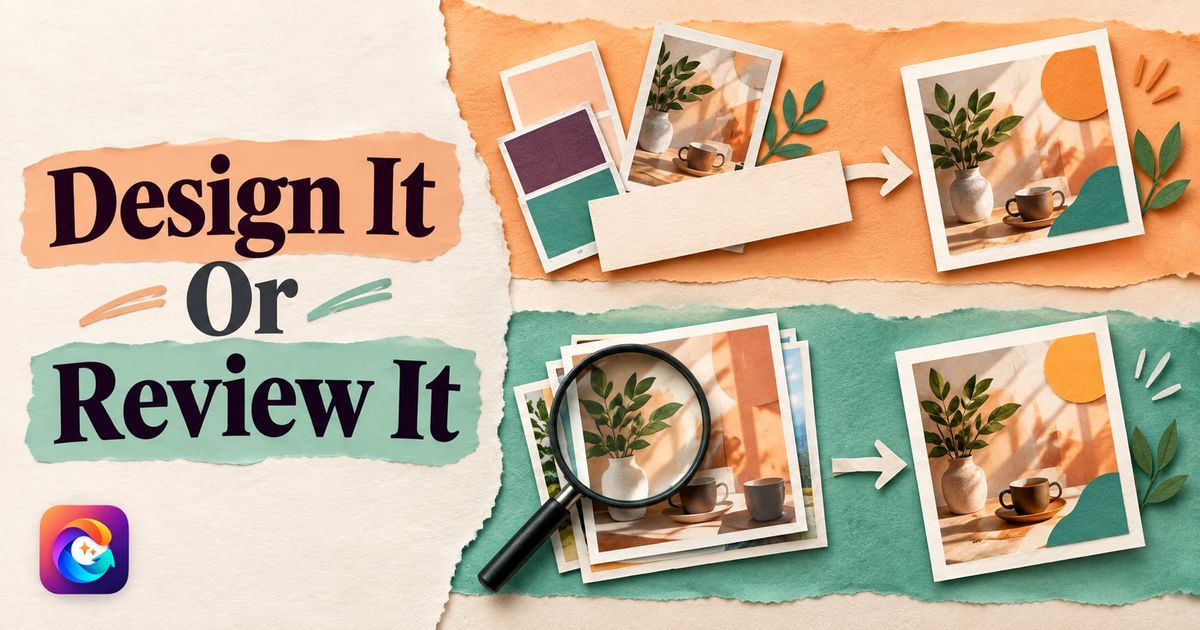
It is Monday, the salon is closed, and this is the day you promised to "do the Instagram". You open Canva, search "salon offer", pick one of hundreds of lovely templates, swap in your logo, change the pink to your teal and type "Bridal packages now open". Forty minutes later you have one post. You need six more for the week, and you start wondering whether a Canva alternative for social media posts would save your Mondays.
Canva did its job well. The template was good, the tool was easy. What you were really missing was not a design tool but the time and ideas to use it every day. That is why owners who like Canva still go looking for something else. This guide compares the two approaches honestly, including the cases where Canva is clearly the better choice.
What Canva is genuinely great at
Canva is an online design tool with a very large library of templates, photos, icons and fonts. You pick a template and edit it yourself: change the words, colours, pictures and layout until it fits your brand. It works in a browser and on a phone, and it is easy enough that people with no design training make good-looking work on their first day.
Its real strengths:
- Flexibility. You can make almost anything: posts, stories, posters, menu cards, visiting cards, presentations, banners for your shop window.
- Full control. Every word, colour and position is yours to decide, down to the pixel.
- Speed for one-off pieces. A last-minute "closed today" notice or a poster for a local event can be done in minutes.
- Your own photos. If you have great pictures of your work, such as a finished bridal look or a fresh haircut, Canva lets you build a post around them.
- Team features. Depending on your plan, you can share designs, keep brand colours and fonts handy, and even schedule some posts.
If you enjoy design, have time each week and want total control, Canva is an excellent design tool for small business owners.
Where the template approach gets hard
The problem is not Canva. It is what any template tool asks of you when the goal is a post every day:
- You still have to decide what to post. A template library answers "how should it look?", not "what should I say on Thursday?"
- You still have to make each one. Even a quick edit is a few minutes per post, and real customising takes much longer. Across a year, those minutes add up to many evenings.
- Popular templates are shared. The best-looking designs are used by many other businesses, so a sharp customer may recognise the layout from another salon's page.
- Consistency depends on you. If you are tired, the logo drifts to a different corner, the font changes, the colours slip.
- Festivals still sneak up. A template for Diwali exists, but someone has to remember Diwali is next week and make the post.
This is the core of the template vs custom posts question. Templates are a starting point you finish. For owners who are short of time, the finishing is the part that never happens.
Canva alternative for social media posts: the finished-post approach
The other approach is to get posts that are already finished: your logo, business name, phone and message in place, a picture made for that day's message, and a caption ready to paste. You review, and if you like it, you post.
Here is the picture-and-headline style of a finished post, in a sample design for a made-up occasion hairstyling studio from our sample library:

Nothing about that design needed a template search or a font choice, and on your own posts the logo is placed for you. That is the trade: you give up some pixel-level control, and in return the daily work drops to a review and a tap.
Ready made posts for business are not new. What has changed is that they can now be made for your specific brand, rather than as generic images with someone else's name swapped out.
Side by side: which approach fits which owner
| Question | Canva (templates you edit) | Content365 (finished posts for a year) |
|---|---|---|
| Who decides what to post each day? | You | Planned for you across 365 days, you review |
| Who makes each post? | You, from a template | Made for you, ready to review |
| Control over every detail | Full | Less: you review and choose, not redesign |
| Logo, name, phone on every post | You place it each time | Placed the same way on every post from your exact text |
| Festivals and financial year | You remember and design | Planned into the calendar on the days they fall |
| Captions | You write them | Written for Instagram, Facebook, LinkedIn and X, plus Hindi |
| Use your own photos | Yes, easily | Pictures are painted scenes, not your own photos |
| Posters, menus, visiting cards | Yes | No, it makes social media posts only |
| Posting | Some plans can schedule | You post yourself; we do not post on your pages |
| Time per post | Minutes to an hour | A quick review |
We have deliberately not listed Canva's prices here. They change, and they depend on the plan you choose, so check Canva's own site for current pricing.
When Canva is the better choice
Being honest about this matters, so here it is plainly. Canva is the better choice for you if:
- You love designing and posting is part of the fun of running your business.
- Your best content is your own photos, such as real before-and-after looks of your clients, and you want to build posts around them. (Ask your clients' permission first.)
- You need many kinds of designs, not just social posts: menus, flyers, banners, invitations and presentations.
- You post only occasionally, a few times a month, and each one is a special event.
- You need total control over every word and pixel for brand or compliance reasons.
Many owners will want both. Canva is a superb general design tool; it is not trying to plan and make your year of daily posts for you.
When a year of finished posts is the better choice
If you are looking for a Canva alternative for social media posts because the daily work never gets done, a finished-post approach makes more sense when:
- You keep meaning to post every day and do not. The gap is time and ideas, not design skill.
- You want a steady, consistent look without checking the logo position on every single post.
- You find captions harder than images, or you want Hindi captions as well.
- You miss festivals because they arrive faster than you expect.
- You run more than one brand and the template work multiplies.
Here is the kind of everyday service post that is easy to forget to make, but useful to have on the page:

For more on making daily posting a habit rather than a weekly struggle, see how to post every day on Instagram as a small business.
How Content365 works as a social media post maker
Content365 is a social media post maker that makes the whole year at once for one brand. You give it your business name, logo, website and the details you want shown. It makes 365 posts, one for every day of the year, each a 1080 x 1350 image with a square-safe centre, ready for Instagram, Facebook, LinkedIn, X and WhatsApp.
The picture is painted by an image model with no text in it at all. The studio's compositor then places your real logo, business name, phone, website and call to action on top, from the exact text you gave. Your logo is never redrawn by the model, so it does not come out warped or misspelt, which is a common problem with image generators that try to draw text themselves. Every picture is checked by a vision model for stray text and problems, with up to 3 tries per day; a day that never passes still arrives, with a visible warning rather than being hidden.
Variety is planned in: 365 angles across 5 lenses gives 1,825 concepts, grouped into 21 angle families and mixed across the year, so it is not one template repeated. Near-duplicate pictures are rejected. Indian festivals and the financial year are planned into the calendar on the days they fall.
You review every day in your own gallery first. Nothing posts by itself; you or your team post them. Ratings, testimonials and awards appear only when your brand confirmed them.
One brand for the whole year is ₹3,999 including GST, not per month, and each extra brand is the same ₹3,999 including GST. You get one download folder with all the pictures, captions.csv, prompts.csv, calendar.csv and a gallery that opens on any phone.
Frequently asked questions
Is Content365 a replacement for Canva?
Not exactly. Canva is a general design tool for making almost anything yourself. Content365 makes a full year of finished, branded social media posts and captions for you to review. Many owners use Canva for menus, flyers and one-off designs, and a set of finished posts for their daily feed.
Can I edit Content365 posts in Canva afterwards?
The posts come as standard image files in your download folder, so you can open them in any design tool if you want to add something. Most owners use them as they are, but nothing stops you.
Will my posts look like other businesses' posts?
Each picture is made for your brand and that day's message, and near-duplicate pictures are rejected within your year. Your own logo, name and contact details are placed on every post, so it reads as yours.
Which is better for a salon or beauty parlour?
If you have strong photos of your own work and enjoy designing, Canva is excellent. If you mainly need a steady daily post with offers, tips and festival greetings, and you rarely find the time, a year of finished posts usually fits better. Our salon and spa posts guide has a full-year plan either way.
Can I try it before paying?
Yes. The free plan gives you 2 posts for your brand every 48 hours with no payment needed. Sign in with Google to start free and compare the result with a template you would edit yourself.
Try both and decide
The fairest test is a side-by-side one. Make a week of posts in Canva, then look at a free Content365 post made with your own logo, and see which you would actually keep up for a year. When you are ready, see pricing for the yearly plan, or compare what each extra brand costs on the pricing page.