Content365BlogPricing and cost
Try before you pay: get free branded social media posts for your business
Free social media posts for business, with your own logo and name: how the Content365 free plan works, what to check in sample posts, and when to upgrade.

You have probably been here before. A salon owner sees an advert for a tool that promises a month of posts in minutes. She signs up, and the first screen asks for a card. Or she gets through, and the "free" posts turn out to be generic templates with someone else's stock photo and a watermark across the middle. Or a freelancer sends a lovely portfolio, but the portfolio is for other businesses, and there is no way to know what her own salon would look like until she has paid the advance.
What most owners actually want is simple: free social media posts for business, made with their own name and logo, so they can judge the quality before spending a rupee. This guide explains what to look for in any free trial, how the Content365 free plan works, and how to decide whether a paid plan is worth it for you.
Why you should see your own brand before you pay
A portfolio of other people's work tells you very little. A designer can make a jewellery brand look beautiful and still get your salon wrong. A tool can show polished examples that were picked from hundreds of tries. The only real test is your own business: your logo, your colours, your kind of customer.
When you look at posts made for your own brand, you find out things a sample cannot show:
- Does the logo look clean, or blurred and stretched?
- Is your business name spelled correctly, every time?
- Does the picture suit your trade, or is it a random stock scene?
- Is the text readable on a phone screen, at the size people actually scroll?
- Would you be proud to put it on your page tomorrow morning?
If a free trial cannot answer those questions, it is not really a trial. It is a demo.
What a free post maker for business usually gives you
There are three common kinds of free offers, and each has a catch worth knowing.
| Kind of free offer | What you get | What to watch for |
|---|---|---|
| Design apps with free templates | Templates you edit yourself | You still do the work every day; free tiers often limit logos, fonts or downloads |
| "Free trial" subscriptions | Full access for a short time | Many ask for a card up front and renew unless you cancel |
| Free sample from a freelancer or agency | One or two custom designs | Often only after a call or a quote; the regular work may look different |
None of these is wrong. A free post maker for business is useful if you enjoy designing and have the time. But if what you want is finished posts, ready to use, the question is whether the free version shows you the real thing or a cut-down version of it.
If you are comparing a design app with a done-for-you studio, our post on Canva vs Content365 goes through the difference in daily effort.
How the Content365 free plan works
The Content365 free plan is deliberately simple. You get 2 posts for your brand every 48 hours, and no payment is needed. You sign in with Google to start. That is the whole offer.
Here is how to get going:
- Sign in with Google. Go to start free and choose your Google account.
- Tell the studio about your business. Your business name, your industry, and your logo if you have one, plus the contact details you want on your posts.
- Look at your two posts. They are free branded posts made for your business, not a generic sample.
- Come back after 48 hours for two more, if you want to see more variety.
The point is that you judge with your own eyes, on your own brand, with no card on file and nothing to cancel.
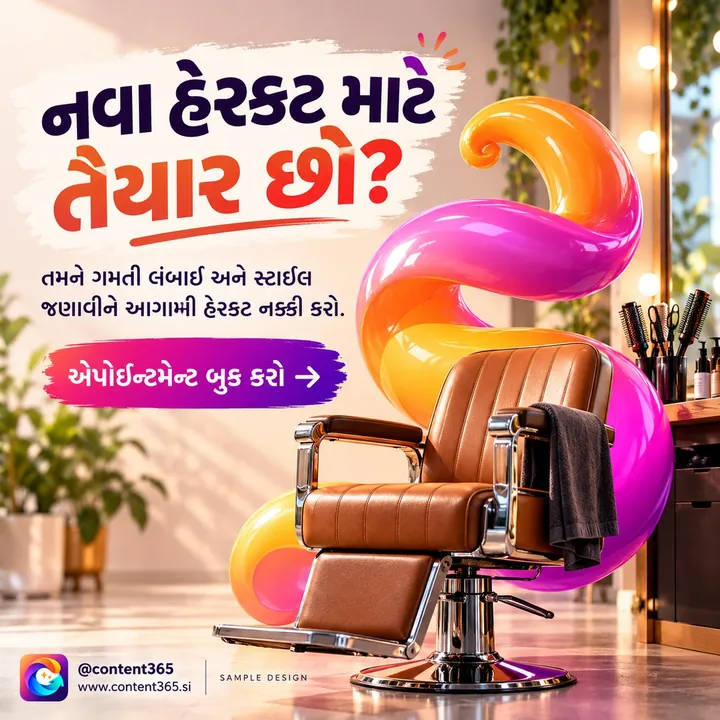
The picture above is from the sample library, a sample design for a made-up unisex hair salon. Your own free posts will carry your name and logo instead. Look at how the headline is short enough to read in a second, and check that your own logo sits cleanly in a corner. That is the standard to hold any post to, free or paid.
How to judge your trial social media content
Do not just glance at your free posts and say "nice". Treat them like a hiring test. Put each one through these checks:
- Open it on your phone, not your laptop. That is where your customers will see it.
- Check the logo up close. It should be sharp and unchanged, not redrawn or warped.
- Read every word. Business name, phone number, website, call to action. Any spelling mistake is a deal-breaker.
- Ask if the picture fits. A salon post should feel like a salon, a bakery post like a bakery.
- Look for stray text. Some image tools put garbled letters into the background. That should never happen.
- Show it to one customer or staff member. Ask, "Would you stop scrolling for this?"
- Imagine it on your page for a week. Would it sit well next to your existing posts?
If your trial social media content passes these, you have learned something real about the quality you would get for a whole year. If it does not, you have lost nothing.
Using your free branded posts well
Two free posts every 48 hours is enough to keep a quiet page alive while you decide. Here are simple ways to use them:
- Post one, save one. Put one on your Instagram or Facebook page and keep the other for a WhatsApp Status.
- Test captions. Write two different captions for the same picture and see which one gets more replies or calls.
- Match them to the week. If a festival or a special offer is coming, use the post closest to that mood.
- Ask your regulars. Share one in your customer WhatsApp group and see if anyone asks about the service.

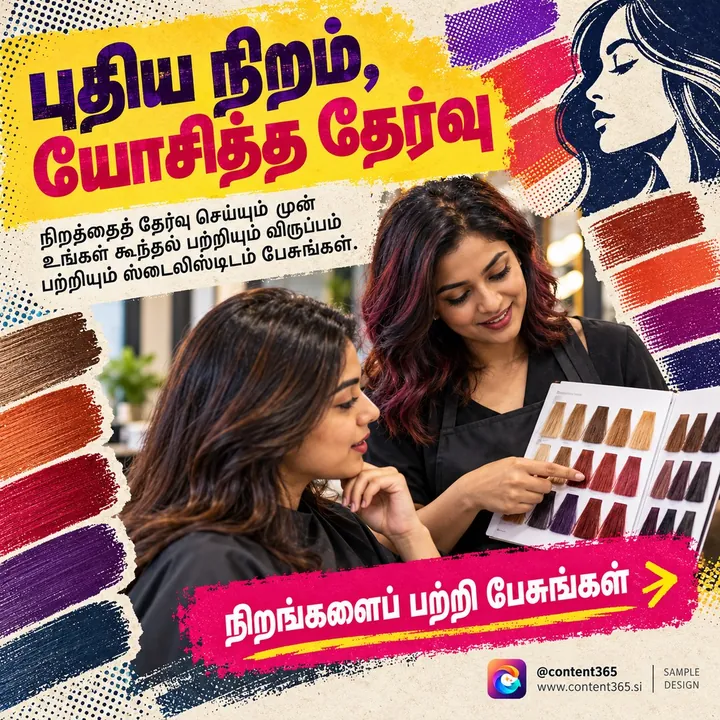
A short, confident headline like "Plan your next look" (here in Telugu) works across almost any week. Free posts of that kind are easy to fit into your page without planning.
If you run a salon or spa, our guide to salon and spa social media posts has a full year of ideas, from bridal season to monsoon hair care.
When free social media posts for business are enough
Be honest with yourself about what you need. Free social media posts for business are not a trick to get your card number; they are a way to decide. The free plan is a good fit if:
- You post a few times a week and are happy to wait for new posts.
- You want to try the quality before committing.
- You are just starting out and testing whether social media helps your business at all.
A yearly plan makes more sense if:
- You want a post for every day, so your page never goes quiet.
- You want festivals planned in advance, on the days they fall.
- You want captions written for Instagram, Facebook, LinkedIn and X, plus Hindi.
- You want everything in one folder you can hand to a staff member.
Content365's yearly plan is 365 posts for one brand at ₹3,999 including GST for the whole year. It is one payment, not a monthly fee. Every extra brand is the same ₹3,999 including GST. Agencies and freelancers often charge several thousand rupees a month for daily posts, so it is worth comparing; our post on social media agency cost in India explains what you are usually paying for.
When you move from free sample posts to the full year, you get a complete calendar rather than a few posts at a time:
- 365 posts, one for every day of the year, each a 1080 x 1350 image with a square-safe centre, ready for Instagram, Facebook, LinkedIn, X and WhatsApp.
- Indian festivals and the financial year planned into the calendar on the days they fall.
- Variety by design: 365 angles across 5 lenses, grouped into 21 angle families and mixed across the year, so it is not one template repeated. Near-duplicate pictures are rejected.
- Quality checks: every picture is checked by a vision model for stray text and problems, with up to three tries per day; a day that never passes still arrives, with a visible warning.
- One download folder with all pictures, captions.csv, prompts.csv, calendar.csv, and a gallery that opens on any phone.
You review every day in your own gallery first. Nothing posts by itself: we do not post on your pages, so you stay in control of what goes out and when. The full details are on the pricing page, and how it works walks through the steps.
Frequently asked questions
Is the free plan really free?
Yes. The free plan gives you 2 posts for your brand every 48 hours, and no payment is needed. You sign in with Google to start.
Do I need to enter a card to try it?
No. There is no payment needed for the free plan. You only pay if you choose the yearly plan.
Are the free posts made with my own logo and name?
Yes. They are posts for your brand, so you can judge how your own business looks rather than a generic sample.
How is the free plan different from the yearly plan?
The free plan gives 2 posts every 48 hours. The yearly plan gives you 365 posts, one for every day, with festivals planned in, captions for four platforms plus Hindi, and one download folder.
Will Content365 post the free posts on my page?
No. We do not post on your pages. You download the posts and post them yourself, or your team does.
Start free, decide later
The easiest way to know if Content365 suits your business is to see it on your own brand. Sign in with Google and start free, look at your posts on your phone, and decide in your own time. When you want the full year, see pricing for the yearly plan.