Content365BlogSocial media strategy
WhatsApp Status marketing: how local businesses can use daily posts to bring customers back
WhatsApp Status marketing for local shops: what to put on your Status each day, a weekly plan, simple rules, and how daily posts bring repeat customers back.
A customer bought a phone from your shop eight months ago. She was happy, she saved your number, and she even sent you a thank-you message. Today her screen cracks. She does not search online for a repair shop. She opens WhatsApp, scrolls her chats, and realises she cannot remember your shop's name. A friend suggests another store, and that is where she goes.
You did nothing wrong. You simply disappeared from her phone. This is exactly what WhatsApp Status marketing fixes. Your saved customers see your Status every time they open the app, quietly, without you sending them a single message. This guide explains how to use it well: what to post, how often, which mistakes put people off, and a weekly plan any local shop can follow.
Why WhatsApp Status works for local businesses
For most local businesses in India, WhatsApp is already where the real conversations happen. Customers send orders, ask for prices, share screenshots and follow up on repairs there. Your contact list is full of people who have bought from you or asked about something.
WhatsApp Status sits at the top of that app. When a customer who has saved your number opens WhatsApp, your Status is right there among their family and friends. It is not an advertisement pushed into their chat. It is a gentle reminder that you exist, that you are open, and that you have something worth a look today.
There are three reasons it is so useful for local business marketing in India:
- It reaches people who already know you. These are past customers and people who asked about something. They are the most likely to buy again.
- It does not interrupt. Unlike a broadcast message, a Status does not ping anyone. People choose to tap it, so it rarely annoys.
- It disappears after a day. That gives you a natural reason to post something fresh every day, and gives customers a reason to check back.
What WhatsApp Status marketing is good for, and what it is not
Status is for staying in mind. It is not for long explanations, price lists or complaints. Think of it like the board outside your shop: a quick, clear message that changes every day.
Use it for:
- New stock arrivals
- Today's offer or combo
- Repair and service reminders
- Festival greetings
- Shop timings, especially on holidays
- A useful tip related to what you sell
Do not use it for:
- Long text paragraphs that nobody reads in the few seconds a Status is on screen
- A dozen Status updates in a single hour
- Forwarded images that have nothing to do with your business
- Anything you cannot stand behind, like a fake "only 2 left" when you have a full box
WhatsApp status ideas for a shop: a week of posts
Here is a ready plan for a mobile and electronics shop. The same structure works for a kirana store, a boutique, a salon or a pharmacy: just change the products.
| Day | Status idea | Example line |
|---|---|---|
| Monday | New arrival | "New model just arrived. Come and try it in the shop." |
| Tuesday | Service reminder | "Battery draining fast? Same-day battery check at our counter." |
| Wednesday | Accessory of the week | "Fast charger plus cable combo, now in stock." |
| Thursday | Useful tip | "Back up your photos before any phone repair. We can help." |
| Friday | Exchange or upgrade | "Bring your old phone and ask about our exchange offer." |
| Saturday | Weekend timings | "Open all day Saturday and Sunday morning." |
| Sunday | Greeting or thank-you | "Thank you for trusting us with your phones all these years." |
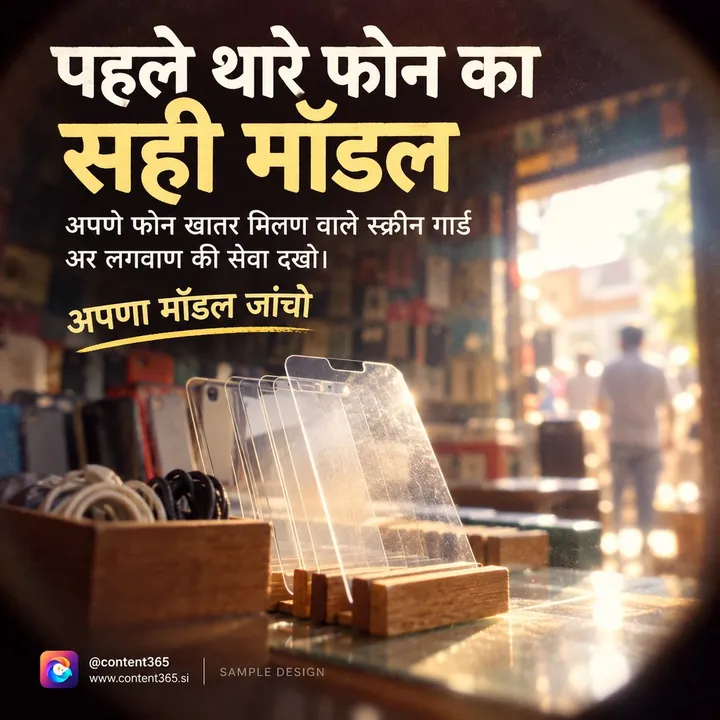
A made-up shop like TechZone Mobiles in Patna could rotate between sales posts, service posts and simple goodwill posts so the Status never feels like one long advertisement. That mix is what keeps customers tapping.
If you run a mobile or electronics store specifically, our mobile shop social media posts guide has more ideas around launches and festival sales.
How WhatsApp business marketing brings repeat customers back
For a local shop, the people who come back are the heart of the business. A new customer is expensive: they need to find you, decide to trust you and make the trip. A returning customer already knows the way.
WhatsApp business marketing through Status is quietly built for repeat customers. A few ways it works in practice:
- Reminding at the right moment. Someone who bought a phone a year ago sees your Status about screen guards and remembers theirs is scratched.
- Being there when a need appears. When their phone stops charging, your shop is the first name in their mind because they saw your Status yesterday.
- Building familiarity. Seeing your logo every day, next to their family's photos, makes your shop feel like part of their circle.
- Making sharing easy. When a friend asks, "Where did you get your phone fixed?", your customer can forward your Status image in a second, with your name, phone and address already on it.
That last point matters. Every Status image should have your logo, shop name and contact details on the picture itself, because it will be screenshotted and forwarded without your caption.
Simple rules for a Status that people actually watch
- One to three updates a day is plenty. More than that and people start skipping all of them.
- Post when your customers are on their phones. Morning before work and evening after dinner are often good times. Watch who views and adjust.
- Make the picture do the work. A clear image with a few words beats a screen full of text.
- Use a portrait image. Status fills a phone screen held upright. A tall 4:5 image works far better than a wide one.
- Keep it on brand. Same logo, same colours, same tone every day, so people recognise you before they read.
- Ask customers to save your number. Status is only visible to people who have your number saved. A small sign at the counter saying "Save our number for daily offers" helps.
- Respect privacy. Never post a customer's photo, phone number or order without asking.
Using one post for Status and social media
You do not need separate content for WhatsApp and Instagram. One well-made post can go on your Instagram feed, your Facebook page and your WhatsApp Status on the same day. The caption changes, the image stays the same.
For WhatsApp Status, a short line in Hindi or English often works better than a long caption. Many local customers prefer Hindi, which is why our guide to Hindi captions for business posts is worth a read if your shop is in a Hindi-speaking area.

How Content365 makes daily WhatsApp Status easy
The hard part of WhatsApp Status marketing is not knowing what to post. It is having something ready, every day, that looks good and carries your brand. Content365 handles that part.
You get 365 posts, one for every day of the year, for ₹3,999 including GST. Each post is a 1080 x 1350 portrait image with a square-safe centre, ready for Instagram, Facebook, LinkedIn, X and WhatsApp. The tall format fits a phone screen well, so it works as a Status without cropping.
On every picture, the compositor places your real logo, business name, phone number, website and call to action, from the exact text you gave. That means every Status a customer forwards still tells their friend exactly how to reach you. An image model paints the scene with no text in it, and the logo is never redrawn by the model.
You get captions for Instagram, Facebook, LinkedIn and X, plus Hindi, for every day. Indian festivals and the financial year are planned into the calendar on the days they fall, so your Diwali and Holi Status updates arrive on time.
Everything comes in one download folder with all the pictures, a captions.csv and a calendar.csv, plus a gallery that opens on any phone. That last part is useful for WhatsApp: you can open the gallery on your phone, save today's picture and put it on your Status in under a minute.
We do not post on your pages or your WhatsApp. You review every day first, and you or your team post them. To see what a full year includes, take a look at the yearly plan.
Try it with your own shop
If you want to see your logo and number on a ready Status image first, try the free plan: 2 posts for your brand every 48 hours, no payment needed. Sign in with Google to start free. You can also see pricing for the full year, or look at samples for 29 industries in the sample library.
Frequently asked questions
How many WhatsApp Status updates should a business post each day?
One to three is a comfortable number. One good post a day, sometimes with a second for an offer or timings, keeps you visible without tiring your customers.
Who can see my business WhatsApp Status?
Only people who have saved your number, depending on your privacy settings. That is why it helps to ask customers at the counter to save your number.
Should I use the WhatsApp Business app for Status?
Many shops do, because it keeps business chats separate and adds a business profile with timings and address. Status works the same way in both apps.
Can I use the same image for Instagram and WhatsApp Status?
Yes. A portrait 4:5 image works well for both. Change the caption to suit each place: a short line for Status, a fuller caption for Instagram.
Does Content365 put posts on my WhatsApp Status automatically?
No. Nothing posts by itself. You review each day's post in your gallery, then save it and put it on your Status yourself.
Stay on your customers' phones
Your past customers already have your number. Your Status is the easiest way to stay in their mind until they need you again. Start with the weekly plan above, keep every image branded, and post daily. When you want a full year of Status-ready posts for ₹3,999 including GST, see what the yearly plan includes.