
Content365BlogSocial media strategy
WhatsApp Business for shops: catalogue, broadcast lists and daily posts that work together
WhatsApp Business for shops made simple: set up your catalogue, use broadcast lists with consent, and pair daily posts with easy order-on-WhatsApp replies.

It is wedding season. Your boutique has new lehengas and festive sarees on the rack, and your phone will not stop. "Price?" "Do you have this in maroon?" "Send more photos." "Same as the one you posted last week?" You scroll back through hundreds of chats to find the right picture, type the price again for the tenth time, and lose a customer who got tired of waiting.
Most shop owners already use WhatsApp all day. What they do not always use are the tools that make it work like a small shop counter on the phone. WhatsApp Business for shops has a catalogue, quick replies, labels, broadcast lists and Status, and when these work together with your daily posts, the same questions get answered once instead of fifty times.
This guide shows how to set it up, how to use each part, and how to tie it all to your Instagram and Facebook posts so customers move smoothly from "I like that" to "Please keep one for me".
Why WhatsApp Business is the real shop counter
For many Indian shops, especially fashion, jewellery, gifting and grocery, WhatsApp is where the selling actually happens. Instagram may be where a customer first sees the kurta. But the questions about size, colour and delivery, and the final "I will take it", happen in a chat.
The free WhatsApp Business app is built for exactly this. It is separate from personal WhatsApp, works with your shop's phone number, and adds business tools that personal WhatsApp does not have. If you are still selling from a personal account, switching is one of the most useful WhatsApp Business tips you can follow. Back up your chats first, and check the app's help pages for the steps on your phone.
Step 1: set up the business profile properly
Your profile is the first thing a new customer sees. Fill in every field:
- Business name, exactly as it appears on your board.
- Category, such as clothing store or boutique.
- Description: one or two lines. "Handpicked ethnic wear for weddings and festivals. Sarees, lehengas and kurtis. Surat."
- Address, with a landmark.
- Business hours, so customers know when you will reply.
- Website or Instagram link, if you have one.
- Profile picture: your logo, clear and centred.
Then set up two messaging tools found in the business settings:
- Greeting message: sent automatically when someone messages you for the first time. "Namaste, welcome to Rangreza. Browse our catalogue here, or tell us what you are looking for."
- Away message: sent outside your business hours. "We are closed now and will reply after 10 am tomorrow. You can browse our catalogue meanwhile."
Step 2: build a WhatsApp catalogue customers can browse
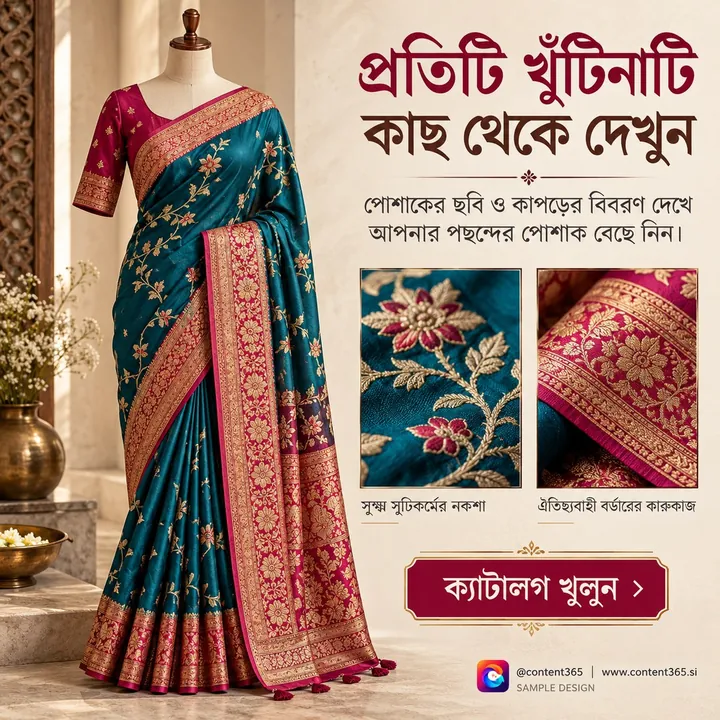
The WhatsApp catalogue lets you list your products inside the app, each with photos, a name, a price if you want to show one, a short description and a link. Customers can browse it from your profile, and you can send any item straight into a chat instead of searching your gallery for the photo.
How to make it useful:
- Group items into collections: Sarees, Lehengas, Kurtis, Festive Edit, Under ₹2,000. Customers find things faster.
- Use clear photos on a plain background, the same style for every item.
- Write the details people always ask: fabric, sizes available, colours, care instructions.
- Show the price where your prices are fixed. Where they are not, write "Message for price", but expect more questions.
- Remove sold-out items quickly. Nothing annoys a customer more than choosing something that is gone.
- Update for the season. Add a festive collection before Navratri and Diwali, which usually fall in September to November, and a wedding collection before the wedding months. Check each year's festival dates.
Step 3: quick replies and labels to save hours
Quick replies let you save messages you send often and insert them with a shortcut, by typing "/" in the chat. Make a set for the questions you answer every day:
| Shortcut | Message |
|---|---|
| /size | Size chart, and how to measure at home |
| /delivery | Delivery areas, usual time and charges |
| /pay | How to pay: UPI, cash on pickup, and so on |
| /return | Your exchange or return policy in plain words |
| /visit | Shop address, landmark, timings and a map link |
| /hold | "We can keep this piece for you until tomorrow evening" |
Labels let you colour-tag chats. Use simple ones: New enquiry, Waiting for payment, Order confirmed, Ready for pickup, Delivered, Regular customer. At the end of the day, open each label and you know exactly who needs a reply.
Step 4: broadcast list marketing, done with consent
A broadcast list lets you send one message to many contacts at once, and each person receives it as a private message from you. Replies come back to you individually, not to a group. Broadcasts only reach people who have saved your number in their phone, which is a good reminder of the most important rule: only send to people who want to hear from you.
How to do broadcast list marketing well:
- Ask before adding. "Would you like to get our new arrivals on WhatsApp? Reply YES." Add only those who say yes.
- Make separate lists. Regular customers, wedding shoppers, wholesale buyers, customers from a particular area. Send each list only what suits it.
- Send less, not more. One or two useful messages a week is plenty for most shops. New arrivals, a festive collection, an important timing change.
- One picture, one message. A single strong image with a short line and a clear next step works better than ten photos in a row.
- Make it easy to stop. End occasionally with "Reply STOP if you would prefer not to get these updates", and remove anyone who asks right away.
Too many messages get your number muted, blocked or reported, and that hurts every future message you send. Respect is the whole strategy.
Step 5: order on WhatsApp posts that tie it all together
Here is where your daily social posts come in. Every Instagram post, Facebook post and Status update should lead to the same simple action: message us on WhatsApp.
Good order on WhatsApp posts have three things:
- One clear product or collection. "New Banarasi silk sarees" or "Festive kurtis in pastel shades".
- A clear next step on the picture itself. "WhatsApp 98xxx xxxxx to order" or "Message us for colours and sizes". Pictures get forwarded without their captions, so the number must be on the image.
- A matching catalogue item. When the customer messages, you reply with the catalogue item and your /size and /delivery quick replies. The whole conversation takes a minute.
A weekly pattern that works for a boutique:
| Day | Instagram and Facebook post | WhatsApp Status | Broadcast |
|---|---|---|---|
| Monday | New arrival of the week | Same picture | New arrivals to regulars |
| Tuesday | One fabric in focus | Same picture | None |
| Wednesday | Styling idea for an occasion | Same picture | None |
| Thursday | Fit and size help | Same picture | None |
| Friday | Weekend look or festive edit | Same picture | Festive edit to wedding shoppers |
| Saturday | Shop visit invitation with timings | Same picture | None |
| Sunday | Thank-you or festival greeting | Same picture | None |
One picture a day, used on three channels, and only two broadcasts a week. For more on Status itself, read our guide to WhatsApp Status marketing for business. For boutique post ideas, see fashion boutique Instagram content, and for the festive rush, our Diwali social media post ideas.

Common WhatsApp mistakes shops make
- Adding people to big groups without asking. It feels like spam, and many will leave or report it. Use broadcast lists with consent instead.
- Sending long video files to everyone. Customers on slow data or full phones delete them unseen.
- No prices, ever. If every item says "DM for price", many customers will simply not ask. Show prices where you can.
- Slow replies in peak season. Use the away message, quick replies and labels so nobody waits a day for an answer.
- A catalogue that is never updated. Old, sold-out items make the shop look careless.
- Different branding everywhere. A neat logo on Instagram but random photos on WhatsApp. Keep the same look on every channel.
How Content365 gives your shop a picture for every day
Your catalogue handles products. Your quick replies handle questions. What most shops still struggle with is the daily post that brings customers into the chat in the first place. That is what Content365 does.
For ₹3,999 including GST, you get 365 branded posts for one brand, one for every day of the year. That is the Yearly plan; nothing renews by itself. A second shop with its own name needs its own plan. See pricing for the details.
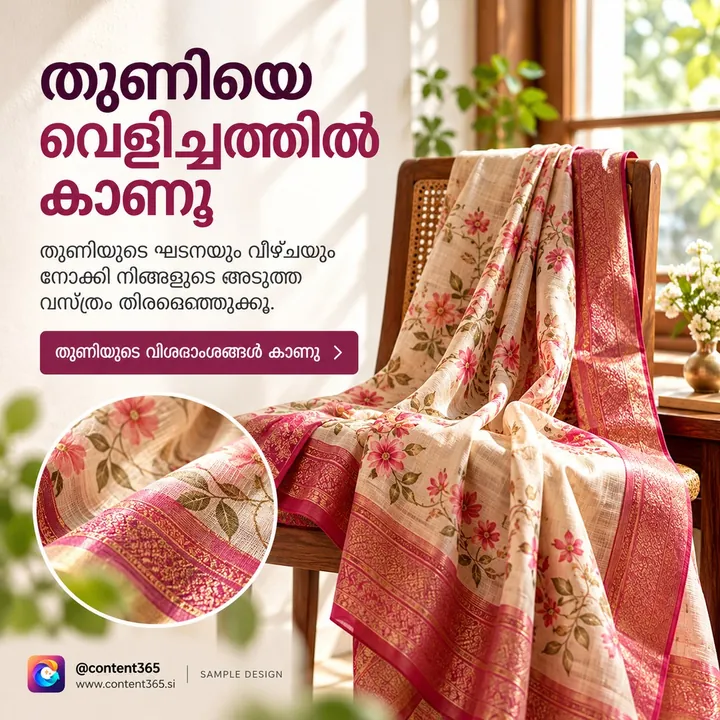
- WhatsApp-ready pictures. Each post is one 1080 x 1350 (4:5) image with a square-safe centre, ready for WhatsApp, Instagram, Facebook, LinkedIn and X. The same picture works as a Status, a broadcast image and a feed post.
- Your number on the picture. An image model paints a scene with no text in it; the studio's compositor then places your real logo, business name, phone, website and call to action on top, from the exact text you gave. The logo is never redrawn by the model.
- Captions every day for Instagram, Facebook, LinkedIn and X, plus one in your own language (Hindi, Tamil, Bengali and 9 more), so you have a ready line for your broadcast too.
- Festive and wedding seasons planned in. Indian festivals and the financial year are planned into the calendar on the days they fall.
- Fresh every day. 365 angles across 5 lenses give 1,825 concepts in 21 angle families, mixed across the year, and near-duplicate pictures are rejected.
You review every day in your own gallery first. We do not post on your pages or send messages from your WhatsApp: you or your team share each picture. Everything comes in one download folder with all pictures, captions.csv, prompts.csv, calendar.csv and a gallery that opens on any phone, which is handy when the shop phone is your main computer.
Try it first with the free first week: 7 posts and 1 carousel for your shop, no payment needed. Sign in with Google to start free, or browse the sample library to see posts for fashion shops.
Frequently asked questions
Is WhatsApp Business free for shops?
The WhatsApp Business app is free to download and use for chatting with customers, the catalogue, quick replies, labels, broadcast lists and Status. Paid options exist for larger businesses, but a typical shop does not need them to start.
How do I add products to my WhatsApp catalogue?
Open the business tools in the WhatsApp Business app, choose catalogue, and add items with photos, a name, price, description and link. Group them into collections so customers can browse by type.
Why are my broadcast messages not reaching some customers?
Broadcasts only reach contacts who have saved your number in their phone. Ask customers to save your number, for example with a line on your bill or in your greeting message.
How often should a shop send broadcast messages?
For most shops, one or two useful messages a week is enough. Send only to people who agreed, keep each message short, and remove anyone who asks to stop.
Can I use the same picture on WhatsApp and Instagram?
Yes. A 4:5 portrait picture with the important part in the centre works well as a feed post, a WhatsApp Status and a broadcast image. Keep your name and number on the picture itself.
Make every chat start with a great picture
WhatsApp is already where your customers buy. Give them a reason to message you every day, and let your catalogue and quick replies do the rest. See the yearly plan for your shop and get a full year of posts ready.
See what Content365 makes for boutiques & clothing stores, or for every industry.
More in social media strategy: the newest, page 2


