Content365BlogSocial media strategy
1080 x 1350: the best image size for Instagram and why one 4:5 master works everywhere
The best image size for an Instagram post is 1080 x 1350 (4:5). Learn why one portrait master with a square-safe centre works on every platform you use.
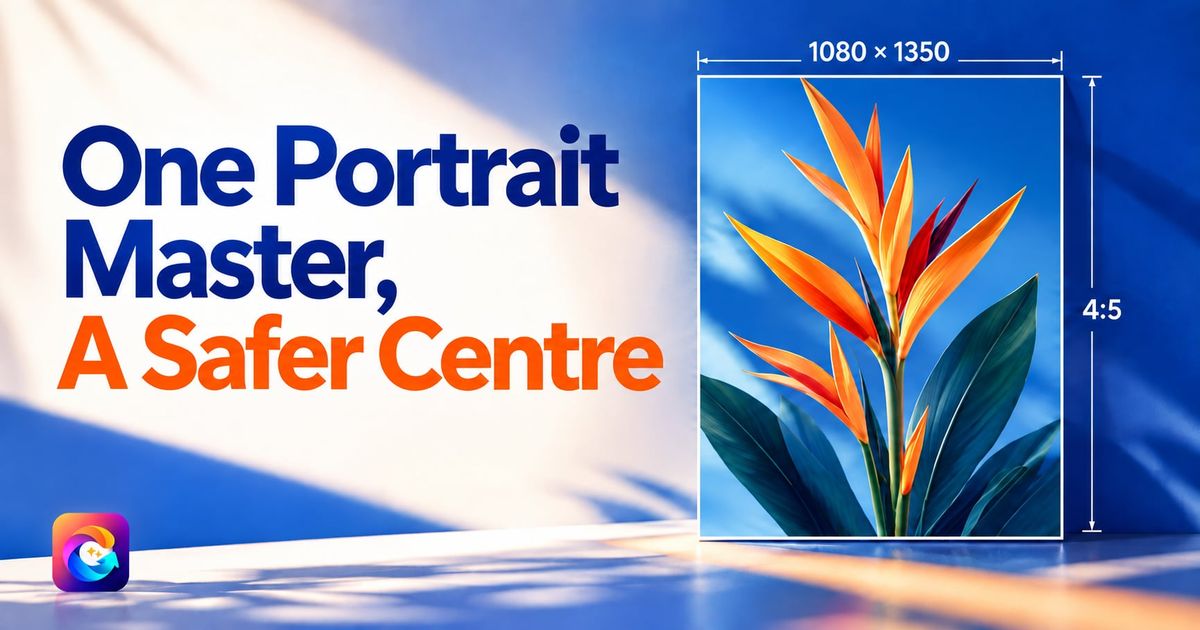
You finally made a good post. The photo of the lake from the terrace looks lovely, the offer text is clear, and the logo sits neatly in the corner. Then you upload it to Instagram and the top of the logo is cut off. On Facebook the same picture looks small and lost. On WhatsApp status it has black bars above and below. Now you are back in the design app at 11 at night, making three versions of one post.
Most of this pain comes from one unanswered question: what is the best image size for an Instagram post, and can one size do the job everywhere? Yes, it can. Make one portrait master at 1080 x 1350 pixels, keep the important things inside a square-safe centre, and you can post that single file on Instagram, Facebook, LinkedIn, X and WhatsApp without redoing it. Here is why, and how to set up your files.
The best image size for an Instagram post: 1080 x 1350
Instagram's feed accepts three broad shapes: square (1:1), portrait (4:5) and landscape (about 1.91:1). Of these, portrait at 1080 pixels wide by 1350 pixels tall is the one most people who post for a living settle on, for three plain reasons.
- It takes up more of the phone screen. A portrait post is taller than a square one, so when someone scrolls past, your picture fills more of what they see. A landscape post is the opposite: a thin strip with lots of empty space around it.
- 1080 pixels wide is the width Instagram is built around. Upload something narrower and it may look soft; upload something much bigger and it is simply scaled down, so you gain nothing but file size.
- The 4:5 aspect ratio is the tallest the regular feed post supports. Go taller than 4:5 and Instagram will crop your picture to fit, often cutting exactly the part you cared about.
So the Instagram portrait size to use is 1080 x 1350: the largest, cleanest shape the feed shows in full.
What the 4:5 aspect ratio actually means
An aspect ratio is just the shape of the picture: width compared to height. 4:5 means that for every 4 units across, the picture is 5 units tall. At 1080 pixels wide, that works out to 1350 pixels tall.
Two things make 4:5 forgiving:
- It is close to square. Only a band at the top and a band at the bottom sit outside the central square. That makes it easy to design one file that survives a square crop.
- It is close to how people hold their phones. Vertical pictures feel natural on a vertical screen, so a 4:5 post looks like it belongs in the feed rather than squeezed into it.

Look at how a sample post like the one above, a square 1080 x 1080 design for a made-up lakeside guesthouse, keeps its scene and headline well inside the edges. That is exactly what the central square of a 4:5 post must carry on its own; the full portrait version just adds the top and bottom bands around it.
The square-safe centre: one file, every crop
Here is the part that saves you the most time. Even when the feed shows your full 4:5 post, there are places where platforms may show only a square from the middle of it: profile grids, some previews, link cards and thumbnails. How each app does this changes from time to time, so do not design for any one app's current grid. Design for the one rule that always holds: the middle square must carry the message on its own.
In a 1080 x 1350 file, the central square is 1080 x 1080, which leaves a band of about 135 pixels at the top and 135 at the bottom. Treat those bands as "nice to have" space.
| Zone in a 1080 x 1350 post | What belongs there | What to avoid |
|---|---|---|
| Top band (about 135 px) | Sky, background, texture | Logo, headline, offer price |
| Central 1080 x 1080 square | Headline, main subject, logo, call to action | Tiny text right at the edges |
| Bottom band (about 135 px) | Background, soft detail, extra breathing room | Phone number, website, anything important |
| Side margins (keep about 60 px clear) | Nothing critical | Text touching the edge |
If you follow this table, a square crop never cuts off your logo or your phone number, and the full portrait version simply looks more generous.
Social media image sizes across platforms, without the headache
You will find long charts of social media image sizes online, with a different number for every platform and every placement. For a business that posts organically every day, they mostly create work. Here is the practical view.
- Instagram feed: 1080 x 1350 shows in full as a portrait post.
- Facebook feed: portrait images display well on mobile, which is where most of your customers see them. A 4:5 file looks natural there.
- LinkedIn: portrait images are supported in the feed and stand out among the many landscape link previews.
- X: previews may be cropped depending on the device and layout, so the square-safe centre matters most here. Tapping the post shows the full image.
- WhatsApp status and chats: the picture is shown whole. A 4:5 post fits a phone screen with a little space around it, and nothing important is lost.
One 4:5 master with a square-safe centre is accepted everywhere a small business posts. You may lose a sliver of background somewhere, but never the message.
If keeping the same look across all these places is your bigger worry, our guide to brand consistency on social media goes deeper into colours, logo placement and tone.
A simple checklist before you export
Whether you design in a phone app or on a laptop, run through this list for every post.
- Canvas: 1080 x 1350 pixels. Set it once as a saved template and never start from a blank canvas again.
- Logo: inside the central square, at a comfortable size, on a part of the picture where it stays readable. Use the real logo file, not a screenshot of it.
- Headline: short, large, inside the central square. If you need to squint at it on your phone, it is too small.
- Contact line: phone or website kept away from the very bottom edge.
- File type: a high-quality JPEG is the usual choice for photos and painted scenes. Keep it sharp, not over-compressed.
- Colour: export in standard sRGB so colours do not shift between phones.
- Preview: look at it on your phone, then cover the top and bottom bands with your thumbs. If the post still makes sense, it is ready.
Once it is habit, this takes under a minute.
Common mistakes that make good posts look bad
Even with the right size, a few habits quietly ruin posts.
- Text in the top band. It looks fine on the feed, then disappears in a square preview. Move it down.
- Screenshots of posters. Screenshotting a WhatsApp poster and posting it on Instagram adds blur and odd margins. Always post from the original file.
- Designing landscape for a vertical world. A wide photo of a hotel lobby looks tiny in the feed. Recompose it as portrait, or crop to 4:5 around the most interesting part.
- Too many words. A 1080 x 1350 post is a poster, not a brochure. Put the detail in the caption.
- Different sizes every day. A grid of mixed shapes looks untidy. Picking one size and sticking to it makes the whole page look planned, which matters when you are posting every day on Instagram.

Why this matters more for hotels, cafés and shops
Hotels, homestays and restaurants sell an experience, so pictures carry more weight. A guest planning a weekend in Udaipur scrolls your page to imagine the room and the view. A cut-off logo makes a place feel less cared for; a page of clean, matching portrait posts feels like a well-run property. Our hotel social media content calendar has a full year of post ideas that use this format.
How Content365 handles image size for you
Content365 makes every post in exactly this shape, so you never think about it again. Each day's post is one 1080 x 1350 (4:5) image with a square-safe centre, ready for Instagram, Facebook, LinkedIn, X and WhatsApp.
The way it is made also protects the parts that usually break. An image model paints a scene with no text in it. Then the studio's compositor places your real logo, business name, phone, website and call to action on top, using the exact text you gave. Your logo is never redrawn by the model, so it does not come out warped, and the text sits inside the safe area every time. Every picture is checked by a vision model for stray text and problems, with up to 3 tries per day.
You get 365 posts, one for every day of the year, with captions written for Instagram, Facebook, LinkedIn and X, plus Hindi. Indian festivals and the financial year are planned into the calendar on the days they fall. You review every day in your own gallery first, and you or your team post them: we do not post on your pages. Everything arrives in one download folder with all the pictures, a captions.csv, a calendar.csv and a gallery that opens on any phone.
One brand costs ₹3,999 including GST for the whole year, not per month. You can see pricing and what is included, or start free with 2 posts for your brand every 48 hours, no payment needed.

Frequently asked questions
What is the best image size for an Instagram post?
For the feed, 1080 x 1350 pixels in the 4:5 aspect ratio is the best all-round choice. It is the tallest shape the regular feed shows in full, it fills more of the phone screen than a square, and it is easy to keep a square-safe centre inside it.
Is 1080x1350 better than a square 1080 x 1080 post?
For most businesses, yes. The portrait post takes more space as people scroll, and if you keep your logo and headline inside the central square, it still looks right wherever a platform shows only a square from the middle.
Will a 4:5 post work on Facebook, LinkedIn, X and WhatsApp?
Yes. Portrait images are accepted on all of them. Some previews, especially on X, may crop the picture, which is why the important parts should sit in the centre. Opening the post shows the full image.
What happens if I upload a taller picture, like 9:16?
In the regular feed, Instagram will crop a picture that is taller than 4:5 to fit. The 9:16 shape is meant for stories and reels. For feed posts, stick to 1080 x 1350.
Do I need different files for each platform?
Not for everyday organic posting. One 1080 x 1350 master with a square-safe centre works across the main platforms a small business uses. Separate sizes matter mainly for paid ads with fixed placements.
Stop resizing, start posting
The right size is a one-time decision: 1080 x 1350, important things in the middle, the same shape every day. If you would rather have a full year of posts made that way, with your real logo and captions for every platform, take a look at the yearly plan at ₹3,999 including GST, or compare what is included on the pricing page before you decide.